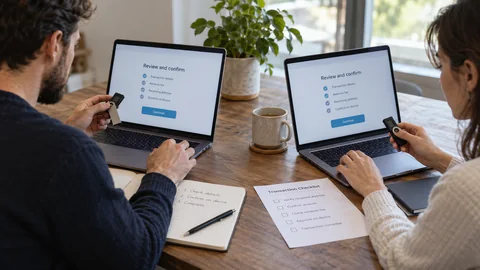
A crypto wallet manages the keys that authorize operations; it does not physically hold the assets. The right choice depends on use, value at risk and your ability to protect a recovery phrase without sharing it.
A provider holds the keys, or you do.
Mobile, browser and hardware device.
Verify the backup before increasing amounts.
Start with key custody
A custodial service may restore account access, but you depend on its security, withdrawals and solvency. With self-custody, you control the keys and take full responsibility for backup.
- Custodial: provider dependency
- Self-custody: direct responsibility
Match the format to the use
Mobile wallets suit small everyday amounts. Browser extensions ease Web3 access but increase phishing exposure. Hardware devices isolate signing but cannot prevent a misleading approval.
- Separate daily, Web3 and long-term wallets
- Limit the value exposed in each wallet
Back up without creating a new weakness
Write the recovery phrase offline. Never photograph it, enter it in a form or give it to support. Test recovery only through official documentation.
- Protect physical copies
- No cloud copy
- Plan trusted access for incapacity
Make the first transfer
Check asset, network, address and any memo. Compare the beginning and end of the address on the signing device, send a small test and keep the transaction identifier.
Before switching wallets
A new wallet cannot protect funds if the old recovery phrase is entered into an untrusted app. Generate fresh keys on a trusted device, verify the destination network and address, and send a small test amount before the balance.
- Keep the old backup until every asset and network has been checked.
- Treat any app asking for the recovery phrase to “sync” an account as suspicious.
Practical case: decision and limits
After restoring into a second app, the balance looks empty. The network, derived account or hidden tokens may explain it; never enter the backup into a support website. Compare a known receiving address in a verified app, then inspect the correct network explorer. No recovery phrase is needed by another person to perform this diagnosis.
A concrete verification
Check signing ability: a watch-only wallet displays balances without a spending key.
Choose for your situation
| Solution | Strength | Main risk |
|---|---|---|
| Custodial account | Simple recovery and purchase | Provider freeze, breach or failure |
| Mobile wallet | Daily use and direct control | Compromised phone or lost backup |
| Browser extension | Easy dapp access | Phishing and excessive approvals |
| Hardware device | Keys isolated from the computer | Poor backup or deceptive signing |
Frequently asked questions
Do beginners need a hardware wallet?
Not always. Learn with a small value, then choose based on risk and backup discipline.
Can I change wallets?
Yes. Create fresh keys and transfer after a test when you want to isolate the old wallet.
Can support ask for my phrase?
No. Anyone with the phrase can control the corresponding assets.
Is a wallet on several devices necessarily multisig?
No. Devices may share one key or simply view the same account. Check the spending policy and required independent keys; retain the policy backup if you choose multisig.
Verifiable sources
 Ethereum.org — Wallets
 Bitcoin.org — Securing your wallet
- Bitcoin Developer Guide — Wallets
- Bitcoin BIP 174 — Partially signed transactions
Independent educational content reviewed against primary documentation. No personalized recommendation or promise of returns. Updated October 6, 2026